For Apple TV & Mac
Your agents,
on the wall behind you.
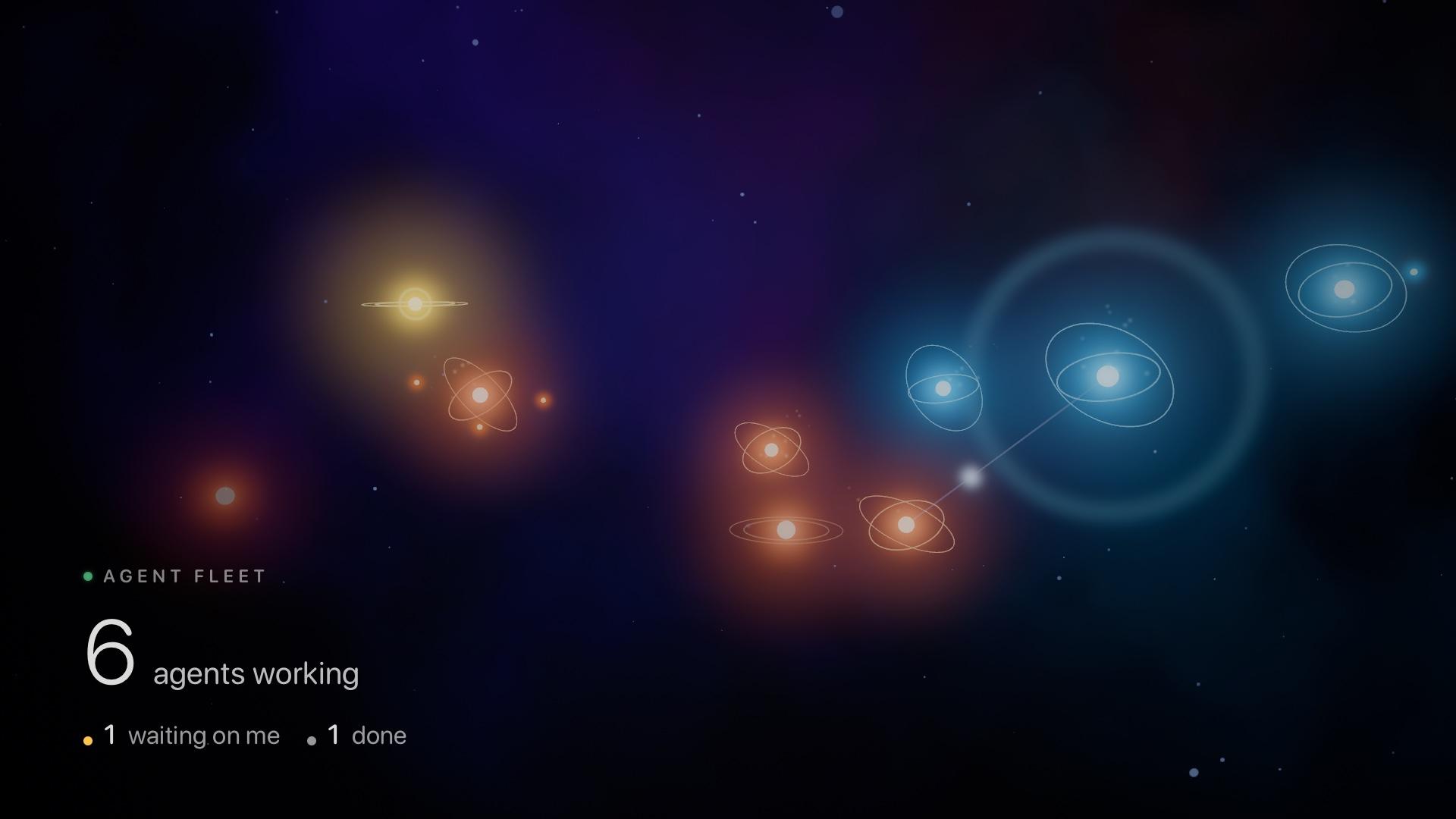
Agent Fleet turns the Claude Code and Codex sessions on your Mac into a slow, glowing constellation on your Apple TV. Calm enough to sit behind you on a video call. Clear enough to see, at a glance, which one needs you.
Agent Fleet · simulated
0agents working
0 done
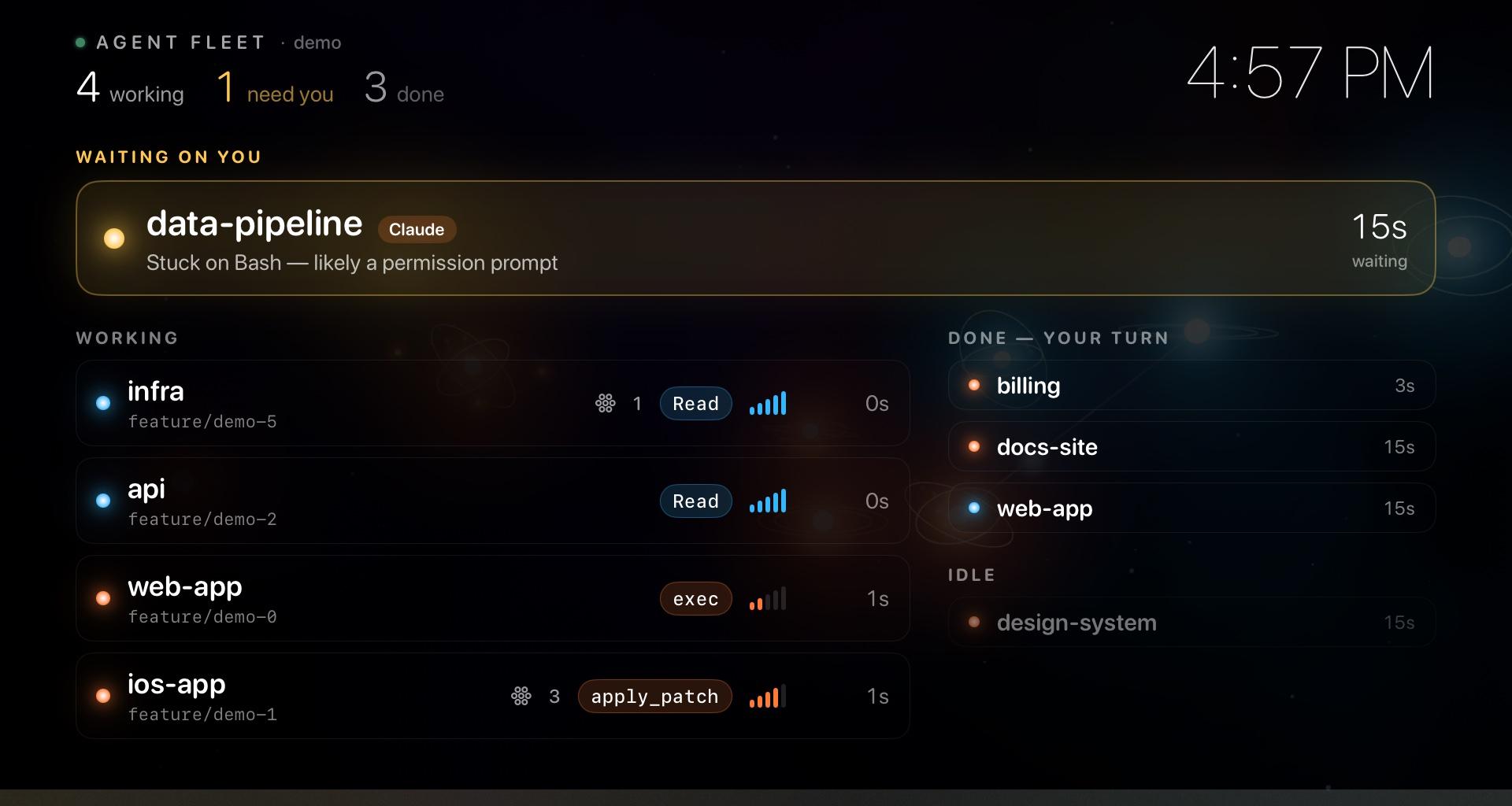
Two screens, two jobs
One for the camera. One for you.
Reading the sky
Every light is an agent.
You don’t read the Stage so much as notice it. A gold light lifting out of the field is the only thing that should pull your eye.
- Orange
- A Claude Code session.
- Blue
- A Codex session.
- Gold, lifting and pinging
- Waiting on you: a question, a plan to approve, or a permission prompt.
- Spinning rings
- Calling tools. The faster they tumble, the busier it is. Each call sends out a ring.
- A faint line
- Two agents working in the same repository.
- Dim and still
- Finished its turn, or idle. Close the session and it drifts away.
Private by construction
Nothing leaves your network.
No accounts, no cloud
Your Mac talks to your TVs directly over your own network. There’s no server in the middle, nothing to sign up for, and no analytics.
Paired, then encrypted
A TV sees nothing until you approve it on your Mac by matching a six-digit code. After that, everything it receives is encrypted with a key only that TV and your Mac hold.
The Stage can’t leak
The on-camera screen is handed shapes and numbers, never text. Project names, branches and tools only ever reach the Prompter.

Set up in a minute
- 01
Install Agent Fleet on your Mac
It lives in the menu bar and reads the session logs Claude Code and Codex already write. Nothing to configure.
- 02
Open Agent Fleet on your Apple TV
It finds your Mac on the network. Pick Stage for the TV behind you, Prompter for the one only you can see.
- 03
Match the code
The TV shows six digits and your Mac shows the same six. Click Allow. That TV is now paired, and only it can see your fleet.
Made for the camera
Easy on your webcam.
- Dark by design, with a ceiling on highlights so the TV can’t blow out your exposure.
- Slow, smooth motion that video compression keeps up with. No flicker, no fine patterns.
- The one number that matters, large, in a corner.
- Tip: set the TV’s brightness to about a third.
Put your fleet on the wall.
The Mac app is ready now. The Apple TV app is in App Review.